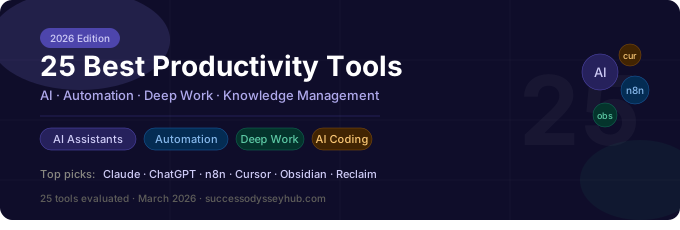
The productivity landscape changed permanently in 2025–2026. AI didn't just add new tools to the stack — it restructured the stack itself. The question is no longer "which app should I use for tasks?" It's "which combination of AI reasoning, automated workflows, and focused execution systems creates the most leverage?" This guide answers that question for 2026 — updated May 2026 with the latest pricing, new tools, and real-world stack recommendations.
What's New: May 2026 Update
May 2026 Changes to This Guide
Claude Code added (Section 2) — Anthropic's terminal-based coding agent has become the highest-leverage coding tool for developers and non-developers alike. Now listed separately from Claude AI.
Granola added (Section 8) — Local-first AI note-taker that outperforms bot-based transcription for sensitive calls. Replaces older bot-join meeting tools in recommended stacks.
Pricing updated — Claude Max, Cursor Pro, Make, and Linear pricing all changed in Q1 2026. All figures verified as of May 2026.
n8n cloud pricing updated — now starts at $24/month with unlimited workflows. Self-hosted remains free.
Recommended stacks revised — Developer stack updated to include Claude Code; Solo Creator stack streamlined to reduce cost.
How We Evaluated These Tools
Every tool on this list was evaluated against three criteria: does it genuinely reduce cognitive load, does it compound over time (getting more useful as you use it), and does it integrate with other high-leverage systems? Tools that just shift work from one interface to another didn't make the cut. The tools here either eliminate work entirely, dramatically improve the quality of output, or build infrastructure that pays dividends for months and years.
The 2026 Productivity Paradigm Shift
In 2024, the best productivity advice was "use AI to do things faster." In 2026, the best advice is different: use AI to decide which things not to do at all. The highest-leverage productivity move available right now is not a faster execution tool — it's an AI-assisted workflow that identifies and eliminates the work that shouldn't exist. Every section below is evaluated with this lens.
AI Assistants & Thinking Partners
The category that didn't exist three years ago is now the foundation of any serious productivity stack. The key is knowing how to use these tools as cognitive amplifiers rather than content generators — which is a different skill and produces dramatically different results.
1. Claude (Anthropic) — Best for Deep Thinking & Long Documents
Claude's 200,000 token context window makes it the most practical AI for knowledge workers dealing with complex, long-form material. Feed it an entire research paper, a full codebase, or a lengthy legal document and ask nuanced questions — it handles the depth that other models lose track of.
Where Claude Excels
Long-document analysis and summarization. Complex reasoning tasks that require tracking many variables. Writing that needs to be genuinely thoughtful rather than fluent-sounding. Nuanced editing with attention to argument structure. The Projects feature remembers your context across sessions.
Best Use Pattern
Use Claude for the thinking-heavy work: analysis, strategic planning, editing for logic, research synthesis. Build a system prompt that gives Claude your context once — your goals, your writing style, your domain — so every session builds on that foundation rather than starting fresh.
Pricing: Free tier available. Claude Pro at $20/month. Claude Max at $100/month for heavy users.
Verdict: The best AI for sustained intellectual work. If you're doing anything that requires thinking carefully rather than just producing quickly, this is the default choice.
2. ChatGPT (OpenAI) — Best for Breadth and Plugin Ecosystem
GPT-4o's real-time capabilities and the ChatGPT plugin ecosystem make it the best choice for tasks that need broad capability coverage. The voice mode has become genuinely useful for brainstorming while commuting or walking — a form of cognitive work that was previously impossible.
The canvas feature for iterative document editing and the custom GPTs builder are legitimately useful for building specialized workflows. If you work in sales, customer success, or marketing, building a custom GPT trained on your specific context and processes is among the highest-ROI activities you can do this year.
Pricing: Free tier (GPT-4o limited). ChatGPT Plus at $20/month. Team at $30/user/month.
Verdict: Best as a second AI in the stack, complementing Claude's depth with breadth and real-time capabilities.
3. Perplexity AI — Best for Research & Current Information
Perplexity has become the default research tool for professionals who need current information with citations. The difference from a standard search engine is significant: instead of returning links you then have to read, it synthesizes information across sources and returns a cited answer with links for verification. For any research task where you need to understand a topic quickly and accurately, Perplexity is measurably faster than any alternative.
The Spaces feature allows you to create research environments with custom instructions and knowledge bases — effectively a persistent research assistant for a specific domain. Particularly useful for competitive intelligence, market research, and ongoing industry monitoring.
Pricing: Free tier (limited queries). Perplexity Pro at $20/month with unlimited Pro Search.
Verdict: Replaces most Google searches for professional research. Essential addition to any knowledge worker's stack.
4. Gemini Advanced (Google) — Best for Google Workspace Integration
If your work lives in Google Docs, Sheets, Gmail, and Drive, Gemini's deep integration with Workspace makes it the most frictionless AI option. The ability to query across your entire Drive, summarize email threads, and draft directly in Docs without context-switching is genuinely valuable for people embedded in the Google ecosystem.
Pricing: Included with Google One AI Premium at $20/month (which also includes 2TB storage).
Verdict: Best AI choice specifically for Google Workspace users. Less compelling if your work is elsewhere.
AI Coding & Development Tools
Even for non-developers, AI coding tools have become relevant productivity infrastructure. The ability to build custom scripts, automate data processing, create dashboards, and deploy simple tools without deep programming knowledge has changed what's possible for a solo operator or small team.
5. Cursor — Best AI Code Editor
Cursor is a VS Code fork with AI built into every layer of the editing experience. The composer feature accepts natural language instructions and edits your codebase directly across multiple files simultaneously. For developers, it's the most significant productivity improvement since version control. For non-developers who can articulate what they want in plain language, it makes building functional tools accessible in ways that weren't possible 18 months ago.
Non-Developer Use Case
You don't need to be a programmer to get value from Cursor. If you can describe what you want clearly — "a Python script that reads this CSV, filters rows where column B is greater than 100, and outputs a summary email" — Cursor can build it for you and iterate based on your feedback. The ability to automate custom data tasks that previously required hiring a developer is a significant productivity unlock for operators and analysts.
Pricing: Free tier (limited requests). Cursor Pro at $20/month. Business at $40/user/month.
Verdict: The productivity tool with the highest ceiling for people willing to invest time learning it. Recommended for anyone who regularly works with data or builds internal tools.
6. Claude Code — Best for Agentic Coding & File-Level Tasks
Claude Code is a terminal-based coding agent that operates directly in your project directory — reading files, writing code, running commands, and iterating based on results. Unlike editor-based AI, it can autonomously execute multi-step development tasks with minimal supervision. Ask it to refactor a module, fix a failing test suite, or build a feature, and it works through the task methodically, showing you each step before executing.
For developers managing complex codebases, Claude Code reduces the cognitive overhead of context-switching between planning and execution. For non-developers, it's the fastest path from "I want this script to do X" to a working, tested result.
Pricing: Requires Claude Pro or Max plan, or API credits.
Verdict: The highest-leverage coding tool available in 2026 for anyone doing serious development work.
7. GitHub Copilot — Best for In-Editor Code Completion
Copilot's autocomplete and chat capabilities within the editor remain the standard for in-flow coding assistance. The difference between writing code with Copilot and without it is comparable to the difference between touch typing and hunt-and-peck — it doesn't change what you're capable of, but it dramatically changes the speed and friction of execution.
Pricing: $10/month individual. Included in GitHub Pro/Team plans.
Automation: n8n, Make, and Beyond
Automation is where the 2026 productivity story gets most interesting — and most differentiated. The people building systematic automation workflows right now are creating leverage that compounds indefinitely. Every hour spent building an automation is an hour that pays back every time that workflow runs. Over a year, a workflow that saves 30 minutes per week returns 26 hours. Over five years, it returns 130 hours and still runs every week.
The Automation Mindset Shift
The question most people ask is: "What tasks can I automate?" The better question is: "What information flows through my work repeatedly?" Anywhere you're manually moving data from one system to another, waiting for something to trigger an action, or performing the same multi-step process more than once a week — that's automation territory. The tools below make building those automations accessible without deep technical skill.
8. n8n — Best Self-Hosted Automation Platform (Our Top Pick)
n8n is the automation tool we recommend most strongly in 2026, particularly for anyone who takes data privacy seriously or wants to build sophisticated workflows without paying per-automation pricing. n8n is open-source, self-hostable, and visually intuitive — a node-based workflow builder where you connect triggers, actions, and logic visually.
Why n8n Wins in 2026
Self-hosted control: Run it on your own server or a $5/month VPS — your data stays yours.
AI-native: Deep integration with OpenAI, Claude, and local models. Build AI agents that take actions based on AI reasoning.
Code when needed: Drop into JavaScript or Python nodes for logic that visual builders can't handle.
No per-task pricing: Unlike Zapier, you're not paying per automation run — run a workflow 10,000 times and it costs the same as running it once.
High-Value n8n Workflows to Build First
Lead enrichment: New CRM lead → AI researches company → enriched profile sent to Slack
Content pipeline: RSS feeds → AI summarizes → daily digest email
Support triage: Email received → AI categorizes and drafts response → sent to review queue
Competitor monitoring: Web scrape competitor pages → AI detects changes → Slack alert
Data sync: Airtable → Google Sheets → Notion, automated on schedule
Pricing: Free self-hosted (unlimited). n8n Cloud starts at $24/month (unlimited workflows, 2,500 executions). Enterprise pricing for teams.
Verdict: The highest-leverage automation tool for anyone willing to invest 4–8 hours learning it. The learning curve pays back faster than any other tool on this list.
9. Make (formerly Integromat) — Best Visual Automation for Non-Technical Users
Make sits between Zapier's simplicity and n8n's power. Its visual scenario builder is arguably the most intuitive of any automation platform, with a genuinely beautiful interface that makes complex multi-path workflows comprehensible at a glance. The router module for branching logic and the iterator for batch processing are particularly powerful features that Zapier can't match at the same price point.
Make's 1,500+ app integrations cover essentially any tool you're likely to be using. The HTTP module allows connecting to any REST API even if there isn't a dedicated integration. For teams that want visual automation without the overhead of self-hosting, Make is the current best-in-class option.
Pricing: Free tier (1,000 operations/month). Core at $9/month (10,000 ops). Pro at $16/month (10,000 ops with priority execution). Team at $29/month.
Verdict: Best automation choice for non-technical users who want power without self-hosting. Run Make and n8n in parallel — use Make for quick integrations, n8n for complex AI workflows.
10. Zapier — Best for Breadth of Integrations
Zapier's 6,000+ app integrations remain unmatched in breadth. If you need to connect two obscure SaaS tools that no other platform supports, Zapier almost certainly has both. The tradeoff is pricing — Zapier's per-task model becomes expensive at scale, and the visual builder lacks the sophistication of Make or n8n.
In 2026, the best use of Zapier is for quick integrations between mainstream tools where you're not running high volumes. For anything high-volume or complex, migrate it to Make or n8n.
Pricing: Free (100 tasks/month). Starter at $19.99/month (750 tasks). Professional at $49/month (2,000 tasks).
Verdict: Still worth having for its integration breadth, but no longer the primary automation platform for anyone doing serious workflow optimization.
11. Notion AI + Database Automations
Notion's built-in automation layer — triggered database actions, button automations, and Notion AI integration — has matured significantly. For teams whose entire workflow lives in Notion, the automation capabilities now allow building lightweight CRM, content pipelines, and project management systems without leaving the platform.
The combination of Notion databases, formulas, rollups, and AI-powered properties creates a genuinely powerful internal tool builder. Teams that fully leverage Notion's automation layer often find they need Zapier significantly less.
Pricing: Notion Plus at $10/month. Business at $15/user/month. Notion AI add-on at $10/member/month.
Deep Work & Focus Tools
The dopamine dysregulation created by constant digital stimulation makes deep focus increasingly rare and increasingly valuable. The tools in this category are not productivity apps in the conventional sense — they're infrastructure for protecting the conditions under which your best thinking happens. As we explored in the neuroscience of dopamine and digital distraction, the ROI on focus protection is higher than the ROI on most execution tools.
12. Reclaim AI — Best AI Calendar Optimizer
Reclaim AI automatically schedules deep work blocks, habits, and task time into your calendar based on your priorities and energy patterns. It defends those blocks against meeting requests and reschedules intelligently when plans change. The result is a calendar that reflects your actual priorities rather than everyone else's.
The habit scheduling feature is particularly valuable: tell Reclaim you want to exercise three times per week and write for 90 minutes daily, and it finds and holds time for those habits automatically, adjusting around meetings as they arrive.
Pricing: Free tier (3 tasks, 3 habits). Starter at $8/month. Business at $12/user/month.
Verdict: The single highest-leverage calendar tool available. If you don't have control of your calendar, you don't have control of your attention.
13. Cold Turkey / Freedom — Best Distraction Blocking
Cold Turkey is the most effective distraction blocker available, with genuinely hard blocks that survive browser changes, restarts, and attempts to disable. The Frozen Turkey feature locks you out of everything except specified applications — the most extreme focus mode available short of airplane mode.
Freedom is the cross-platform alternative with better mobile support and a scheduled blocking feature that runs blocks automatically at specified times. Both tools solve the problem that willpower-based approaches consistently fail: they remove the decision entirely.
Cold Turkey pricing: Free basic. Cold Turkey Blocker at $39 one-time. Freedom at $3.33/month.
14. Endel — Best Adaptive Focus Music
Endel generates real-time soundscapes that adapt to your heart rate (via Apple Watch), time of day, weather, and activity. The neuroscience basis — pentatonic scales, binaural beats at specific frequencies, and tempo calibrated to focus versus relaxation states — is more rigorous than most competitors. For people who find music with lyrics too distracting but silence uncomfortable, Endel is the most effective focus audio environment available.
Pricing: $7/month or $35/year.
Knowledge Management & Second Brain
15. Obsidian — Best Personal Knowledge Base
Obsidian stores your notes as plain markdown files on your device — no proprietary format, no cloud lock-in, your data fully under your control. The bidirectional linking system (wiki-style [[links]]) and the graph view showing connections between notes create a genuinely emergent knowledge structure over time.
The plugin ecosystem is extensive: Dataview turns your notes into queryable databases, Templater automates note creation, and Excalidraw embeds visual diagrams. The result is a second brain that becomes more valuable the more you use it — compounding intellectual infrastructure.
Pricing: Free for personal use. Sync at $10/month. Publish at $20/month.
Verdict: The best long-term knowledge investment available. Takes time to build but compounds indefinitely. Pairs well with AI-amplified mental models for structuring and connecting ideas.
16. Notion — Best All-in-One Workspace
Notion remains the most flexible workspace tool available — equal parts wiki, database, project manager, and document editor. Its strength is the database system: linked databases, filtered views, rollup properties, and relation fields allow building genuinely sophisticated information architecture without code.
The tradeoff is load time and search quality, which remain Notion's weakest points. For teams that need a shared knowledge base and project management in a single tool, Notion is still the best choice. For personal knowledge management, Obsidian's local-first approach and graph capabilities have the edge.
Pricing: Free (limited blocks). Plus at $10/month. Business at $15/user/month.
17. Readwise Reader — Best Read-It-Later & Highlight Manager
Readwise Reader combines read-it-later functionality (like Pocket or Instapaper) with a highlight and spaced repetition system. Save articles, PDFs, newsletters, and web content; highlight the important passages; Readwise's daily review resurfaces those highlights using spaced repetition so the ideas actually stick.
The integration with Obsidian and Notion means highlights flow automatically into your knowledge base. For anyone who reads extensively for professional development, this closes the loop between reading and retaining.
Pricing: Readwise at $7.99/month (highlights + spaced rep). Readwise Reader at $7.99/month (includes all Readwise features).
Project & Task Management
18. Linear — Best for Engineering Teams
Linear has become the default project management tool for engineering teams that prioritize speed over feature bloat. Its keyboard-first interface, automatic issue routing, and cycle-based planning make it the fastest tool for teams doing software development. The integration with GitHub for automatic issue status updates from commit messages eliminates significant administrative overhead.
Pricing: Free (250 issues). Basic at $8/user/month. Business at $14/user/month.
19. Todoist — Best Personal Task Manager
Todoist's natural language input (type "Review proposal every Monday at 9am" and it schedules itself), priority levels, and clean interface make it the best personal task manager for capturing and organizing individual work. The karma system and productivity stats create mild accountability without being overwhelming.
The real value is in the habit it builds: a single trusted system for all tasks. The reduction in cognitive load from not keeping tasks in working memory is measurable and compounds over time.
Pricing: Free (5 projects). Pro at $4/month. Business at $6/user/month.
Time Tracking & Self-Awareness
20. Toggl Track — Best Manual Time Tracker
Toggl's one-click time tracking with project categorization provides the data to understand where time actually goes versus where you think it goes. The gap between the two is typically substantial and consistently surprising. Running Toggl for two weeks usually produces more actionable insight into time allocation than any productivity book.
Pricing: Free (unlimited tracking). Starter at $9/user/month.
21. RescueTime — Best Automatic Time Tracker
RescueTime runs in the background and automatically categorizes your digital activity — websites visited, applications used, time in meetings. No manual input required. The weekly report comparing productive versus distracting time provides useful accountability data without effort.
The FocusTime feature blocks distracting sites automatically when you start a focus session. Combined with RescueTime's data on your personal distraction patterns, it's a highly personalized focus tool.
Pricing: Free (basic tracking). RescueTime Premium at $12/month.
Communication Efficiency
22. Loom — Best Async Video Communication
Loom allows recording screen + camera videos in seconds and sharing via link. For anything that would take five minutes to explain in writing but could be shown in 90 seconds on screen, Loom eliminates the writing overhead entirely. The AI-generated transcripts and summaries mean recipients can skim for context before deciding whether to watch.
The ROI is highest for managers giving feedback, developers explaining code to non-technical stakeholders, and anyone doing customer onboarding or support. A single Loom recording can replace multiple back-and-forth email exchanges.
Pricing: Free (25 videos). Business at $12.50/user/month. Business+ at $16.50/user/month (with AI features).
23. Superhuman — Best AI Email Client
Superhuman's AI-powered email prioritization, one-key shortcuts, and split-inbox design make it the fastest email experience available. The AI summary feature surfaces what matters from long threads. For professionals receiving 100+ emails daily, the productivity delta between Superhuman and a standard email client is significant enough to justify the price.
Pricing: $30/month. Business at $40/user/month.
24. Otter.ai — Best Meeting Transcription
Otter automatically transcribes meetings, generates summaries, and extracts action items. The AI meeting assistant joins calls as a participant, takes notes, and sends a summary to all participants afterward. For anyone who attends more than three meetings per week, eliminating manual note-taking recovers significant time and improves the quality of what's captured.
Pricing: Free (300 min/month). Pro at $16.99/month. Business at $30/user/month.
25. Granola — Best AI Note-Taker for Deep Meeting Processing
Granola records meetings locally (no bot joining the call), then uses AI to generate structured notes based on your own rough jottings plus the transcript. The result is cleaner and more contextually accurate than fully automated transcription, because your rough notes guide what the AI emphasizes. Particularly useful for client calls, sales meetings, and strategy sessions where the nuances matter.
Pricing: Free (25 meetings). Pro at $18/month.
Recommended Stacks by Profile
The right productivity stack depends on your primary constraints. Here are opinionated recommendations based on role and goal — with total monthly cost estimates.
Solo Creator / Writer
Core AI: Claude Pro ($20)
Research: Perplexity Pro ($20)
Knowledge: Obsidian (free)
Reading: Readwise Reader ($8)
Tasks: Todoist Pro ($4)
Focus: Cold Turkey ($0 after one-time)
Calendar: Reclaim free tier
Total: ~$52/month
Operator / Business Owner
Core AI: Claude Pro + ChatGPT Plus ($40)
Research: Perplexity Pro ($20)
Automation: n8n (self-hosted, ~$5 VPS) + Make Core ($9)
Workspace: Notion Plus ($10)
Email: Superhuman ($30)
Meetings: Otter Pro ($17)
Time: Toggl free
Total: ~$131/month
Developer / Technical
Core AI: Claude Max ($100) or Pro ($20)
Code: Cursor Pro ($20) + Claude Code (included)
Automation: n8n self-hosted ($5 VPS)
Knowledge: Obsidian (free)
Project: Linear free or Basic ($8)
Focus: Cold Turkey one-time
Total: ~$153/month (Max) or $73/month (Pro)
The Most Important Stack Decision
If you can only add one tool from this list, make it n8n or Make. The reason: every other tool on this list makes you more productive at specific tasks. Automation makes every other tool you use more productive by eliminating the manual connective tissue between them. One well-built automation workflow can pay for your entire monthly stack in the time it saves. Build the automation foundation first; add other tools around it.
The 2026 Productivity Principle
The most productive people in 2026 are not the ones with the most tools. They're the ones who have built tight integration between a small number of high-leverage tools, eliminated the work that shouldn't exist, and protected the conditions — time, focus, cognitive capacity — under which their best work happens. The tools are infrastructure. The habits and systems that use that infrastructure are what actually determine output. Build both deliberately, and the compounding begins.